

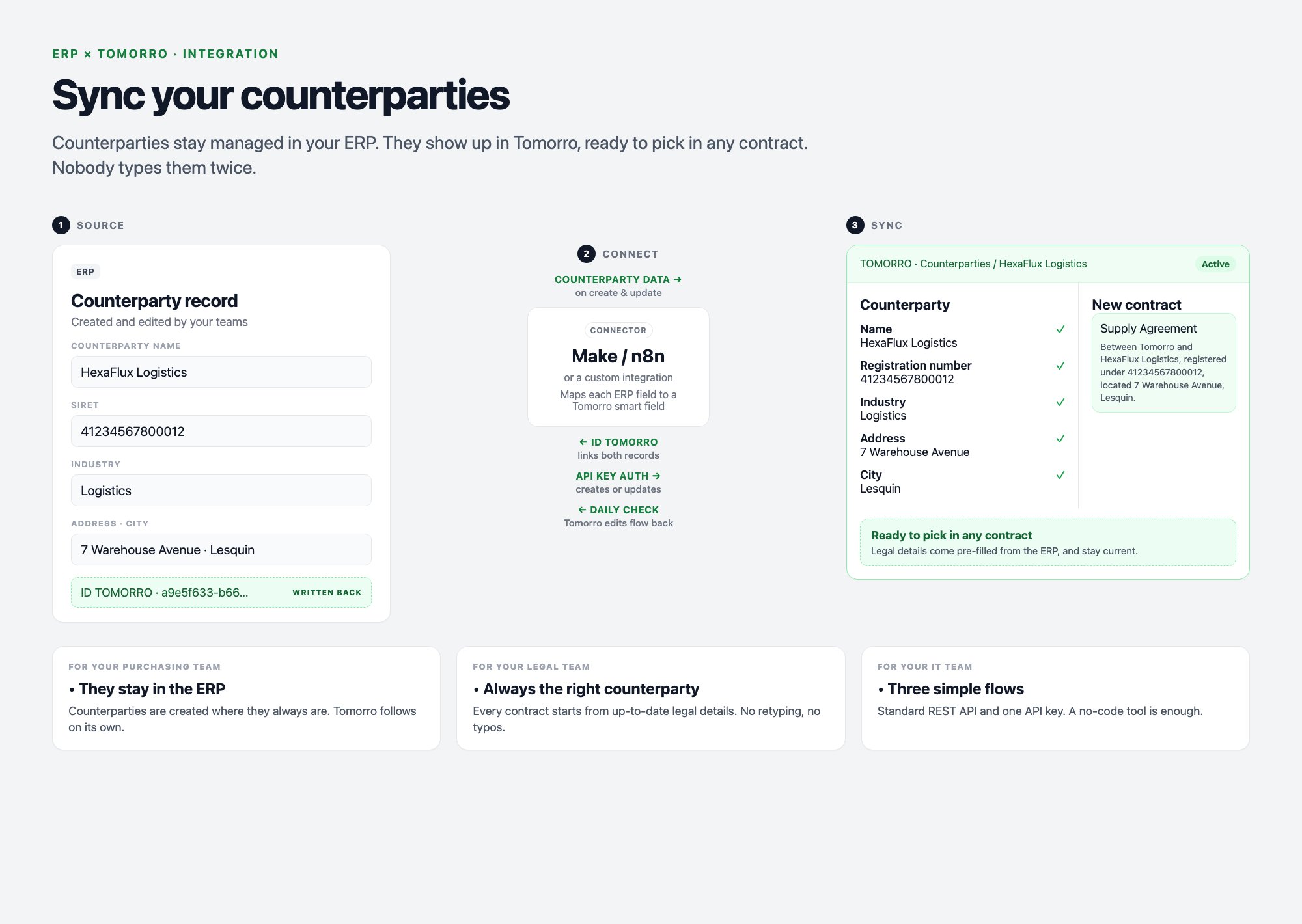
- Flow 1: Counterparty created in the ERP.
- Flow 2: Counterparty updated in the ERP.
- Flow 3: Counterparty updated in Tomorro.
Brief for your IT team
Copy this brief, fill in the blanks, and send it to your IT team or integrator. It is all they need from you.Brief for IT
Help to complete the brief
1 - Scope
2 - Data mapping
One line per counterparty field you want in Tomorro.Example only: list your own ERP fields and the Tomorro fields they should fill.
3 - Timing
When should each automation run, and what starts it?Example only: choose the timing that fits your process.
4 - Checklist
- Scope (1), mapping (2) and timing (3) validated
- Missing fields created in Tomorro (Libraries > Dynamic components > Smart fields), with the same Industry values as the ERP
- An IT contact or integrator to build the flows, and the brief sent to them